If you’re planning to manufacture, import, or sell medical devices in India, there’s one platform you cannot bypass — the SUGAM Portal.
But here’s the reality most applicants face: the regulations aren’t the hardest part. Getting the portal process right is.
This guide gives you a clear, practical walkthrough — from account registration to license approval — so you don’t lose time to avoidable errors.
What Is the SUGAM Portal?
SUGAM stands for System for Unmanned Gateways Approval of Manufacturers. The word itself means “easy to approach” in Sanskrit — and the portal was developed by CDSCO to streamline India’s regulatory process and promote Digital India.
It is the official online gateway provided by the Central Drugs Standard Control Organization (CDSCO) to manage the application and approval process for drugs, cosmetics, and medical devices in India. Manufacturers, importers, and distributors can submit applications digitally and track their status in real time.
Most CDSCO applications are processed through the SUGAM portal, though certain state-level processes may involve additional systems or offline submissions.
Official portal: https://cdscoonline.gov.in
Who Needs to Use SUGAM?
Registration on SUGAM is mandatory for anyone who wants to sell or distribute health-related products in India, including:
- Indian Manufacturers
- Importers
- Authorized Indian Agents (representing foreign manufacturers)
- Distributors may be required to use SUGAM in specific cases such as import-related activities or regulatory applications.
- Medical Device Testing Laboratories
Important for Foreign Manufacturers: Foreign manufacturers cannot apply directly through the SUGAM portal. They must appoint an Indian Authorized Agent to apply on their behalf.
Device Classification: Know Your Category First
Before you open the portal, you need to know where your device sits under the Medical Device Rules (MDR), 2017. All medical devices are classified into four risk-based categories:
| Class | Risk Level | Examples |
| Class A | Low | Surgical dressings, thermometers, alcohol swabs |
| Class B | Low–Moderate | Hypodermic needles, suction equipment |
| Class C | Moderate–High | Lung ventilators, bone fixation plates |
| Class D | High | Heart valves, implantable defibrillators |
The higher the class, the stricter the regulatory requirements — and the longer the review process.
Before You Start: Prerequisites Checklist
Prepare the following before opening the portal:
Organizational Documents
- Company name and registered address
- CIN (Company Identification Number)
- Certificate of Incorporation
- GST / IEC Certificate
Authorized Signatory Details
- Government-issued ID proof
- Authorization letter
Licenses Required
- For importers: Where applicable, a valid wholesale license (Form 20B / 21B) may be required, particularly for import-related applications.
- For manufacturers: Valid manufacturing license
Keep all files in PDF format, clearly named, and within the portal’s file size limits. Portal upload errors are common — preparation prevents them.
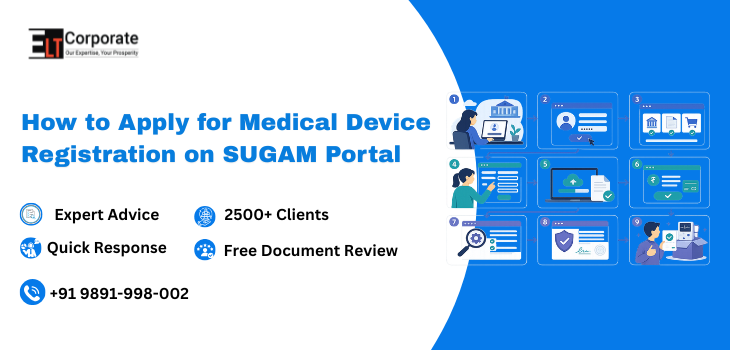
Step-by-Step Process to Apply on the SUGAM Portal
Step 1: Register on the SUGAM Portal
- Visit https://cdscoonline.gov.in
- Click “Sign Up”
- Select your applicant type:
- Importer
- Manufacturer / Corporate
- Indian Agent
- Foreign Enterprise with Indian Subsidiary
- Fill in company details, contact information
- Upload required documents (ID proof, authorization letter, address proof, undertaking)
- Submit and verify via the email link sent to your registered email ID
After submission, the application goes to the CDSCO zonal office for verification. If details are correct, your user ID will be approved within 3–5 working days.
Step 2: Login & Access Your Dashboard
Once your account is approved, log in with your credentials. Your dashboard is the central hub where you’ll:
- Manage all applications
- Track real-time application status
- Respond to CDSCO queries
- Download issued licenses
Step 3: Select the Correct Application Form
This is where many applicants go wrong. Choosing the wrong form leads to rejection or significant delays. Refer to the table below:
| Form | Purpose | License Issued |
| MD-14 | Import License Application | MD-15 |
| MD-3 | Manufacturing License – Class A & B | MD-5 |
| MD-7 | Manufacturing License – Class C & D | MD-9 |
| MD-12 | Test License | MD-13 |
| MD-22 | Clinical Investigation | MD-23 |
When in doubt, verify against CDSCO’s official guidance documents before selecting a form.
Step 4: Fill in Application Details
Enter all device-specific information accurately:
- Device name, model number, and classification
- Intended use and indications
- Manufacturing site details
- Shelf life and technical specifications
Critical: Every detail you enter must exactly match your supporting documents. Any mismatch triggers a query from CDSCO — which costs you weeks.
Step 5: Upload Required Documents
Documents commonly required for the application include:
- Device Master File (DMF) — technical specifications, design, testing data
- Plant Master File (PMF) — manufacturing site details
- Free Sale Certificate (FSC) — mandatory for imported devices
- ISO 13485 / CE / FDA approval certificates (where applicable)
- Test reports from CDSCO-approved laboratories
- QMS Certificate
All data — such as model number, model name, and shelf life — must match across all documents to avoid issues at customs (NOC from ADC) and during CDSCO review.
Step 6: Pay Government Fees
Payment is made online. Fees vary based on device class and number of devices:
- Class A / B manufacturing license: ₹5,000 per manufacturing site + ₹500 per device
- Import license fees: Range from nominal (Class A) up to approximately ₹3.7 lakh (Class D), as specified under MDR 2017
Save your proof of payment — you’ll need it for your records and in case of any portal discrepancy.
Step 7: Submit Your Application
Before clicking submit, do a final review:
- All fields filled correctly and completely
- All documents uploaded and clearly readable
- Fee payment confirmed
- Data consistent across all documents
Once submitted, editing is not straightforward. Do not rush this step.
Step 8: Handle CDSCO Queries
After submission, CDSCO reviews the application and may raise queries or request clarifications on documents or device details. This is where most approval timelines extend.
Best practices for query responses:
- Address every point raised — partial answers lead to repeat queries
- Provide documentary evidence, not just explanations
- Maintain consistency with your originally submitted dossier
- Respond promptly — delays in responding pause your application timeline
Step 9: Approval & License Grant
Once CDSCO is satisfied with all documentation and queries are resolved:
- For high-risk devices (Class C/D), a site inspection or sample evaluation may occur before approval
- License is issued — for example, Form MD-15 for import licenses
- Licenses are now perpetual, provided retention fees are paid every five years and compliance is maintained
Realistic Approval Timelines
| Stage | Estimated Time |
| SUGAM Account Approval | 3–5 working days |
| Class A Device Registration | 1–3 months (with complete docs) |
| Class B–C Import License | 3–6 months |
| Class D Import License | 6–9 months (or more) |
Timelines significantly depend on documentation quality and query turnaround speed.
Common SUGAM Portal Errors (And How to Avoid Them)
| Common Error | How to Prevent It |
| Upload failures | Use PDF format; check file size limits before uploading |
| Session timeout (data lost) | Save progress frequently; don’t leave the form idle |
| Wrong application form selected | Cross-check with CDSCO guidance documents before starting |
| Data mismatch between form and documents | Reconcile all details with your DMF/PMF before submission |
| Incomplete query responses | Answer every point raised with supporting documents |
| Wrong applicant type selected at signup | Verify your role before registration — changes require re-registration |
2026 Portal Updates Worth Knowing
- Risk Classification Applications: A new provision for submitting Risk Classification applications for Medical Devices is now available on the portal (w.e.f. November 2026), and for IVDs (w.e.f. February 2026)
- Auto-Generated Compliance Certificates: Market Standing Certificates and Non-Conviction Certificates can now be generated digitally for licensed entities
- Class A NSNM Exemption: Class A Non-Sterile, Non-Measuring devices are now exempted from mandatory licensing under a 2026 CDSCO update
The Bottom Line
The SUGAM Portal is the mandatory gateway for medical device registration in India — but the portal itself isn’t the hard part. What determines your success is the quality of your documentation and the accuracy of your submission.
Get the classification right. Prepare your technical dossier carefully. Respond to queries completely. Do this, and you significantly reduce your approval timeline.
Need Help with SUGAM Portal Applications?
We assist with:
- End-to-end application filing on SUGAM
- Document preparation (DMF, PMF, technical dossiers)
- Query response handling
- Authorized Indian Agent services
- Post-approval compliance
Comments are closed