
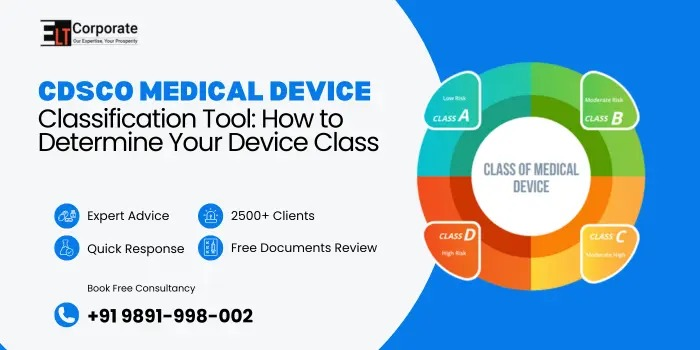
The CDSCO Medical Device Classification Tool helps manufacturers, importers, and distributors understand the exact risk category of their medical device before applying for registration in India. CDSCO classifies devices into Class A, B, C, and D based on risk. Using the CDSCO Medical Device Classification Tool properly ensures you choose the correct license form, prepare the right documents, and follow the correct approval process.
In this guide, you will learn how to use the CDSCO Medical Device Classification Tool in 5 easy steps, explained in simple words.
What is the CDSCO Medical Device Classification Tool?
The CDSCO Medical Device Classification Tool is an online and document-based framework created by CDSCO to help businesses identify the risk class of their medical device. You can use this tool before filing applications like MD-14, MD-15, MD-3, or MD-4.
The CDSCO Medical Device Classification Tool is useful for:
- Importers
- Manufacturers
- Distributors
- Authorized Indian Agents
It ensures the device is categorized correctly before registration.
Why Is the CDSCO Medical Device Classification Tool Important?
Using the CDSCO Medical Device Classification Tool is important because:
- It decides whether your device is Class A, B, C, or D
- It tells you which license form you must file
- It prevents rejection due to wrong classification
- It helps prepare the right technical documents
- It directs you to the applicable safety rules
Incorrect classification is one of the top reasons for CDSCO application delays.
Overview of CDSCO Medical Device Classes
The CDSCO Medical Device Classification Tool divides devices into four risk levels:
| Class | Risk Level | Examples |
| Class A | Low Risk | Thermometers, stethoscopes |
| Class B | Low–Moderate | Needles |
| Class C | Moderate–High | Suction Pumps |
| Class D | High Risk | Heart valves, ventilators |
The CDSCO Medical Device Classification Tool helps you match your device to the correct category.
Documents Needed Before Using the CDSCO Medical Device Classification Tool
To classify your device correctly, keep these ready:
- Device description
- Intended use
- Technical specifications
- Device components
- Mode of action
- Accessories list
- Risk level information
- Labels and artwork
- Instructions for Use (IFU)
These basic details help the CDSCO Medical Device Classification Tool place the device in the correct class.
How to Use the CDSCO Medical Device Classification Tool in 5 Steps?
Using the CDSCO Medical Device Classification Tool is simple if you follow these steps:
Step 1: Identify the Intended Use of the Device
Write in simple words what your device does.
Example: “This device helps monitor blood oxygen levels.”
The CDSCO Medical Device Classification Tool depends heavily on intended use.
Step 2: Check CDSCO’s Notified Device List
- Search for your device name in the notified list or schedules. The list includes most medical devices currently regulated by CDSCO.
- If your device is listed, the CDSCO Medical Device Classification Tool will show you the exact class.
Step 3: Compare Your Device With Similar Devices
If your product is not directly listed, look for similar devices.
Example:
If your device is a “digital thermometer patch,” compare it with “electronic thermometers.”
This helps the CDSCO Medical Device Classification Tool place your device into the closest category.
Step 4: Match Device Features With CDSCO Rules
Use CDSCO’s classification rules (Rules 1–7 of Medical Device Rules, 2017) to match your device with:
- Level of invasiveness
- Duration of use
- Contact with body parts
- Risk level
- Energy source
- Mode of action
These rules guide the CDSCO Medical Device Classification Tool to assign Class A, B, C, or D.
Step 5: Final Verification Using the CDSCO Portal or Guidance Documents
Use the official portal or CDSCO’s reference documents to confirm your classification.
If unsure, consult regulatory experts because the CDSCO Medical Device Classification Tool sometimes requires technical interpretation.
Key Tips for Using the CDSCO Medical Device Classification Tool
- Always start with the intended use
- Do not guess the risk class
- Avoid declaring a lower class to save time
- Compare device components and technology
- Check updated CDSCO lists regularly
- Consult CDSCO FAQs and guidance documents
These tips ensure the correct use of the CDSCO Medical Device Classification Tool.
Benefits of Correct Classification
Using the CDSCO Medical Device Classification Tool correctly provides:
- Faster approvals
- No risk of rejection
- Clear understanding of license type
- Easy documentation preparation
- Smooth registration process
Correct classification is the foundation of compliance.
Conclusion
The CDSCO Medical Device Classification Tool is essential for determining your device class before applying for CDSCO approval. By following the 5 simple steps—identify intended use, check notified list, compare similar devices, use CDSCO rules, and verify-you can classify your device accurately. Proper use of the CDSCO Medical Device Classification Tool ensures a smooth, quick, and error-free registration process in India.
What is the CDSCO Medical Device Classification Tool?
It is a CDSCO system used to identify the risk category of medical devices.
How many classes are there?
Four classes: A, B, C, and D.
Why is classification important?
It helps select the correct license type and prevents application rejection.
Can a device be wrongly classified?
Yes, and it may cause delays or rejection of registration.
Does every device need classification?
Yes, all medical devices must be classified before CDSCO registration.
Comments are closed