If you are a medical device manufacturer, importer, or Authorised agent planning to enter the Indian market, most CDSCO applications are processed through the SUGAM portal, though certain state-level licenses may also involve state-specific systems or offline processes.
SUGAM — which stands for System for Unified Application for Grant of Approval and Management — is CDSCO’s official online gateway for all regulatory applications related to drugs, cosmetics, and medical devices. Launched to replace India’s earlier paper-based submission system, SUGAM is the primary online platform for most CDSCO medical device applications, though certain state-level processes may involve additional systems.
For many first-time applicants — including foreign manufacturers appointing an Indian agent for the first time — the online CDSCO platform can seem complex and unfamiliar. This guide walks you through every step: from creating your account to receiving your license, with specific guidance on the most common mistakes that cause applications to be delayed or rejected.
What Is the CDSCO SUGAM Portal?
The CDSCO SUGAM portal is the official online regulatory management system operated by the Central Drugs Standard Control Organisation under the Ministry of Health and Family Welfare, Government of India. It was developed to digitise and centralise the entire regulatory approval workflow for pharmaceuticals, cosmetics, and medical devices.
For medical devices specifically, SUGAM handles:
| Application Type | SUGAM Form Used |
| Import License for Medical Devices | Form MD-14 (Application) → MD-15 (License Granted) |
| Manufacturing License — Class C and D | Form MD-7 (Application) → MD-9 (License) |
| Manufacturing / Loan License — Class A and B | Form MD-3 (Application) → MD-5 (License) |
| Wholesale Distribution License | Form MD-41 (Application) → MD-42 (License Granted) |
| Test / Investigational Import License | Form MD-16 (Application) → MD-17 (License) |
| Clinical Investigation Permission | Form MD-22 (Application) → MD-23 (Permission) |
| New IVD Device Permission | Form MD-28 (Application) → MD-29 (Permission) |
| Free Sale Certificate | Application through SUGAM for licensed devices |
| Market Standing Certificate | Application through SUGAM — for export documentation |
| Testing Laboratory Registration | Form MD-39 (Application) → MD-40 (Certificate) |
For the purposes of this guide, we will focus primarily on the most common application type: the Import License for Medical Devices (MD-14 / MD-15). The account creation and portal navigation process is identical for all application types — only the forms and specific documents differ.
Before You Start — What You Need to Have Ready
Before logging into the SUGAM portal, ensure the following are in place. Attempting to begin an application without these will result in incomplete submissions that attract deficiency notices from CDSCO:
| Requirement | What to Prepare |
| Valid IEC (Importer Exporter Code) | Active IEC from DGFT in the name of the Indian entity applying — mandatory for import license applications |
| Active GST Registration | Valid GSTIN for the Indian applicant entity. Must not be suspended. |
| Authorised Indian Agent (AIA) Appointed | For foreign manufacturers: the Indian agent company must be legally designated before any SUGAM application can proceed |
| Power of Attorney (PoA) | Notarized and apostilled PoA from the foreign manufacturer authorising the Indian agent — required for import applications |
| Device Master File (DMF) | Complete technical dossier for the device(s) being registered — formatted to CDSCO SUGAM requirements |
| Plant Master File (PMF) | Manufacturing facility documentation for each site covered by the application |
| Free Sale Certificate (FSC) | From the regulatory authority of the country of manufacture — must be current and cover the specific models |
| ISO 13485 Certificate | Quality management system certification for the manufacturing site |
| Device classification confirmed | Verify your device’s correct Class under MDR 2017 before applying — wrong classification = wrong form |
| Digital Signature Certificate (DSC) | Class 3 DSC for the authorised signatory — required to digitally sign the SUGAM application before submission |
| Scanned documents | All documents scanned in PDF format, within SUGAM’s file size limits (typically 2–5 MB per file) |
Common mistake: Many applicants start filling the SUGAM form before their PoA is apostilled or their DMF is complete. This leads to partial submissions that expire or get rejected for deficiency. Complete all documents BEFORE opening the application form.
Step-by-Step: How to Apply on the SUGAM Portal
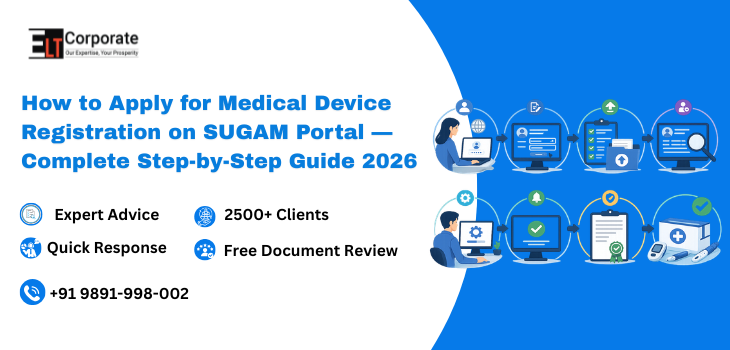
| 1 | Visit the SUGAM Portal and Create Your AccountGo to cdscoonline.gov.in — this is the official CDSCO SUGAM portal. Click on ‘New User Registration’ if you are accessing the portal for the first time. Enter your business details: entity name (exactly as on PAN), email ID, mobile number, and IEC. CDSCO will send a verification OTP to your registered email and mobile. Verify both to activate your account. For Indian Authorised Agents registering on behalf of a foreign manufacturer: register under the Indian agent entity’s details. The foreign manufacturer does not create a separate SUGAM account. |
| 2 | Log In and Navigate to the Application DashboardAfter account activation, log in using your credentials at cdscoonline.gov.in On your dashboard, you will see a menu of available application categories. For medical device applications, select ‘Medical Devices and Diagnostics.’ Within this section, you will find all available application types — import license, manufacturing license, wholesale license, etc. For an import license, select ‘Grant of Import Licence — MD-14.’ |
| 3 | Select the Correct Application Form and Device CategoryCarefully select the correct form based on your application type and device classification. For import licenses: MD-14. For Class A and B manufacturing: MD-3 (Application). For Class C and D manufacturing: MD-7 (Application). For wholesale distribution: MD-41. Confirm your device’s MDR 2017 classification before proceeding — Class A (low risk), Class B (low-moderate), Class C (moderate-high), or Class D (high risk). Wrong classification at this step results in the wrong fee being paid, the wrong form being filled, and an inevitable rejection. |
| 4 | Fill the Application Form — Device and Applicant DetailsComplete the MD-14 form carefully. Key sections include: Applicant details (Indian agent entity name, IEC, GST, address), Foreign manufacturer details (name, address, country), Device details (device name, generic name, intended use, model numbers, device classification), Manufacturing site details (name and address of each manufacturing facility), and Regulatory references (ISO 13485, CE Mark, FDA approval — where applicable). Every field must match exactly with your supporting documents. Model numbers listed in the form must be identical to model numbers in your DMF and FSC. Any discrepancy — even a spacing difference — will trigger a query from the CDSCO assessor. |
| 5 | Upload All Required DocumentsAfter completing the form, upload all required documents in PDF format through the document upload section. For MD-14 import license, mandatory uploads include: Power of Attorney (notarized + apostilled), Free Sale Certificate, Device Master File (DMF), Plant Master File (PMF), ISO 13485 certificate, Test reports (biocompatibility, electrical safety, performance), Clinical evaluation report (for Class C and D), Labeling and Instructions for Use (IFU), and any reference country approval certificates (FDA, CE Mark, Swissmedic etc.). Ensure every file is clear, complete, and within the portal’s file size limits. Compressed PDFs may lose clarity — check readability before uploading. Rename files clearly (e.g., ‘DMF_CompanyName_DeviceName.pdf’) for easy reference during assessment. |
| 6 | Pay the Prescribed Government FeeAfter document upload, proceed to the fee payment section. Government fees for MD-14 import license applications are based on device classification and number of models. Indicative fees (as of 2026): Class A/B devices — USD. 1000 per manufacturing site. Class C/D devices — USD 3000/5000 per manufacturing site. Multiple models from the same manufacturer and site can be grouped in a single application. Payment is made online through the SUGAM payment gateway using net banking, credit card, or NEFT. Save your payment receipt — it is required for application tracking and any correspondence with CDSCO. |
| 7 | Digitally Sign and Submit the ApplicationBefore final submission, the application must be digitally signed using a Class 3 Digital Signature Certificate (DSC) in the name of the authorised signatory of the Indian agent entity. Without a valid DSC, the application cannot be submitted. After DSC signing, review the complete application one final time — verify all form entries, confirm all documents are uploaded, and confirm the fee payment is reflected. Then submit the application. You will receive an Application Reference Number (ARN) — save this immediately. You will use the ARN for all future status tracking and correspondence with CDSCO. |
| 8 | Track Application Status and Respond to CDSCO QueriesAfter submission, log in to your SUGAM dashboard regularly to check your application status using the ARN. CDSCO may raise queries — called ‘Deficiency Letters’ or ‘Queries’ on the portal — requesting additional information or clarification on any aspect of your application. You must respond to queries within the stipulated timeframe through the CDSCO online portal. Do not email CDSCO separately — all responses must go through the portal. Common query topics include: consistency between form data and documents, additional technical data for specific device models, labeling compliance issues, and IFU translation requirements. Query response quality directly determines whether your timeline extends by weeks or months — experienced regulatory consultants handle this stage efficiently. |
| 9 | Inspection (For Applicable Applications)For Class C and D import licenses, and for all manufacturing licenses, CDSCO may conduct a site inspection of the manufacturing facility before granting approval. The inspection is coordinated through the SUGAM portal — you will receive an inspection notice with a scheduled date. For import license inspections, CDSCO typically evaluates the foreign manufacturing facility either through a desk review of submitted documents or, in some cases, a physical visit by CDSCO inspectors. Your Indian agent and the foreign manufacturer’s team must be fully prepared to support this inspection with clean, accessible documentation and facility compliance. |
| 10 | Receive Your License — MD-15 IssuedUpon successful review of all documents, query responses, and (if applicable) inspection, CDSCO issues your MD-15 Import License through the SUGAM portal. You will receive a notification on your registered email and the license will be downloadable from your SUGAM dashboard. The MD-15 license specifies: the licensee (Indian agent), the foreign manufacturer, the manufacturing site, the device names and models covered, and the date of issue. Validity: MD-15 import licenses do not have a fixed expiry date — they are valid in perpetuity subject to 5-yearly retention fee payments and continued compliance. |
Realistic CDSCO Online Portal Application Timelines — 2026
Understanding realistic timelines helps you plan inventory procurement, contractual commitments, and market entry scheduling. Here are typical CDSCO SUGAM processing timelines for medical device applications:
| Application Type | Standard Timeline | With Queries | Reference Country* |
| Class A (non-sterile) Import | 1–2 months | 2–4 months | Faster |
| Class A (sterile/measuring) Import | 2–4 months | 4–6 months | Faster |
| Class B Import License | 3–6 months | 6–9 months | Faster |
| Class C Import License | 6–9 months | 9–12 months | Some reduction |
| Class D Import License | 9–12 months | 12–18 months | Some reduction |
| Class A/B Manufacturing License | 2–4 months | 4–6 months | N/A |
| Class C/D Manufacturing License | 6–12 months | 12–18 months | N/A |
| MD-42 Wholesale Registration | 1–2 months | 2–3 months | N/A |
Reference Country benefit: Devices already approved by CDSCO-recognised reference countries — USA (FDA), EU (CE Mark), UK (MHRA), Japan (PMDA), Australia (TGA), and Canada (Health Canada) — CDSCO may consider approvals from reference countries during evaluation, CDSCO may consider approvals from reference countries during evaluation, which can support and potentially streamline the review process and reduce approval timelines.
The single biggest factor affecting the timeline is documentation quality. Applications with complete, consistent, and well-formatted documentation receive faster processing and fewer queries. ELT Corporate’s preparation consistently results in approvals at the shorter end of these ranges.
7 Common SUGAM Portal Mistakes That Delay Your Application
1. Mismatch Between Form Data and Uploaded Documents
The device name in Form MD-14 must exactly match the device name in the DMF, FSC, and labeling. The model numbers must be identical across every document. Even a dash, space, or capitalisation difference triggers a query. Verify consistency across all documents before submitting.
2. Uploading Incomplete or Illegible Documents
Compressed, low-resolution, or partially legible PDFs are a common issue. CDSCO assessors cannot approve what they cannot read. Ensure every uploaded document is clear, complete, and within file size limits. Check after upload that the file opens correctly within the SUGAM portal.
3. Missing or Improperly Apostilled Power of Attorney
The PoA must be notarized and apostilled in the country of the foreign manufacturer. Incorrect apostille authority, missing notarization, or PoA signed by an unauthorised signatory are among the most common rejection reasons at the initial document review stage.
4. Wrong Device Classification
Applying under the wrong device class means the wrong form, wrong fee, and wrong documentation standard. If CDSCO identifies a classification error during review, your application is rejected and you must restart from scratch. Confirm classification with a regulatory consultant before touching the portal.
5. Expired Free Sale Certificate
Older FSCs may attract queries depending on CDSCO assessment and device category. Always obtain a fresh FSC before applying and check whether CDSCO’s current guidelines specify any validity restrictions for your specific device category.
6. Non-Response or Slow Response to CDSCO Queries
When CDSCO raises a query, the portal timeline effectively pauses. If you miss the response deadline or submit an incomplete response, the application may be closed. Track your SUGAM dashboard regularly and respond to every query within the stipulated timeframe — completely and accurately.
7. Using Outdated DMF Templates
CDSCO periodically updates its expectations for Device Master File structure and content. Using a DMF prepared for another country’s submission — or based on templates from 2020-2022 — will result in multiple queries requesting reformatting or additional data. Always use a DMF structure aligned with CDSCO’s current requirements under MDR 2017.
Expert Tips to Get Your SUGAM Application Approved Faster
• Group multiple models from the same manufacturer and manufacturing site into a single MD-14 application — this reduces fees and simplifies CDSCO’s review
• File during non-peak periods if possible — CDSCO tends to process applications faster in Q1 and Q2 of the calendar year when overall submission volumes are lower
• Leverage reference country approvals — include FDA 510(k), CE Technical File, or Swissmedic approval as supporting documents. CDSCO gives weight to these and they can shorten review time
• Include a well-written cover letter summarising your application — CDSCO assessors review hundreds of applications. A clear cover letter that summarises device use, classification rationale, and reference approvals helps orient the reviewer and reduces the chance of unnecessary queries
• Maintain your SUGAM dashboard login details securely — lost credentials require a CDSCO helpdesk reset that can take days
• Keep copies of every document you upload — if CDSCO requests the same document with minor modifications, having your originals organised saves significant time
• Monitor application status at least weekly — CDSCO query deadlines can be missed if you check status infrequently
Frequently Asked Questions
Can a foreign manufacturer apply the SUGAM system directly?
No. Foreign manufacturers cannot apply directly on the CDSCO SUGAM portal. All import license applications must be submitted by an Authorised Indian Agent (AIA) — a legally established Indian company appointed by the foreign manufacturer with a notarized and apostilled Power of Attorney. The AIA creates the SUGAM account and manages all portal interactions on behalf of the foreign manufacturer.
Is it mandatory to have a Digital Signature Certificate (DSC) for SUGAM?
Yes. A Class 3 DSC in the name of the authorised signatory of the applicant entity is mandatory for final application submission on the SUGAM portal. Without a valid DSC, the application cannot be digitally signed and submitted. DSCs are issued by government-approved Certifying Authorities and are typically valid for 2 years.
What happens if I make an error after submitting the application?
Once submitted, the application cannot be edited. If you discover an error after submission, you have two options: wait for CDSCO to raise a query on the relevant point and correct it through the query response, or withdraw the application and re-submit a corrected version. Withdrawal and re-submission means losing the original submission fees — which is why complete, verified preparation before submission is so important.
Can I track my application status without logging in?
Limited status tracking is available on the public CDSCO portal without login using the Application Reference Number (ARN). However, for full status details, query notifications, and document download, you must log in to your registered SUGAM account.
How do I respond to a CDSCO query on SUGAM?
Log in to your SUGAM account and navigate to your application. Open the query notification and review the CDSCO assessor’s specific request. Prepare your response with supporting documents as required. Upload your response and supporting files through the portal’s query response interface. Do not respond to CDSCO queries by email — all official responses must go through the SUGAM portal to be officially recorded.
What is the fee for MD-14 import license on SUGAM?
As of 2026, the government fee for an MD-14 import license application is approximately USD 1000 for Class A and B devices and USD 3000/5000 for Class C and D devices — per manufacturing site. These fees are paid online through the SUGAM payment gateway. Multiple device models from the same manufacturing site can be grouped in a single application at one fee. Note that professional consultant fees for documentation and portal management are separate from government fees.
How long is the MD-15 import license valid?
The MD-15 import license is valid in perpetuity — it does not have a fixed expiry date. However, a retention fee must be paid every 5 years to keep the license active. CDSCO sends retention reminders through the SUGAM portal. Missing the retention payment results in the license lapsing — requiring a fresh application rather than a simple renewal.
Get Your SUGAM Application Right the First Time
The CDSCO application portal is a well-designed platform — but it rewards preparation. Applicants who arrive with complete, consistent, correctly formatted documentation and a clear understanding of the process consistently achieve faster approvals, fewer queries, and smoother overall experiences. Those who attempt to learn the portal requirements while building their documentation often spend 3 to 6 additional months correcting avoidable mistakes.
For most importers and manufacturers entering India for the first time, working with an experienced regulatory consultant who has navigated hundreds of SUGAM applications is the most cost-effective way to ensure your first submission is your best submission.
| Need Help With Your CDSCO SUGAM Portal Application? ELT Corporate manages the complete SUGAM portal process for importers, manufacturers, and foreign companies entering India. From DMF and PMF preparation to MD-14 filing, query handling, and MD-15 license delivery — we handle every step so your application moves as fast as possible. |
Comments are closed